Beyond Model Calls: How Google ADK 2.0 Turns Agent Workflows into Deployable Python Systems
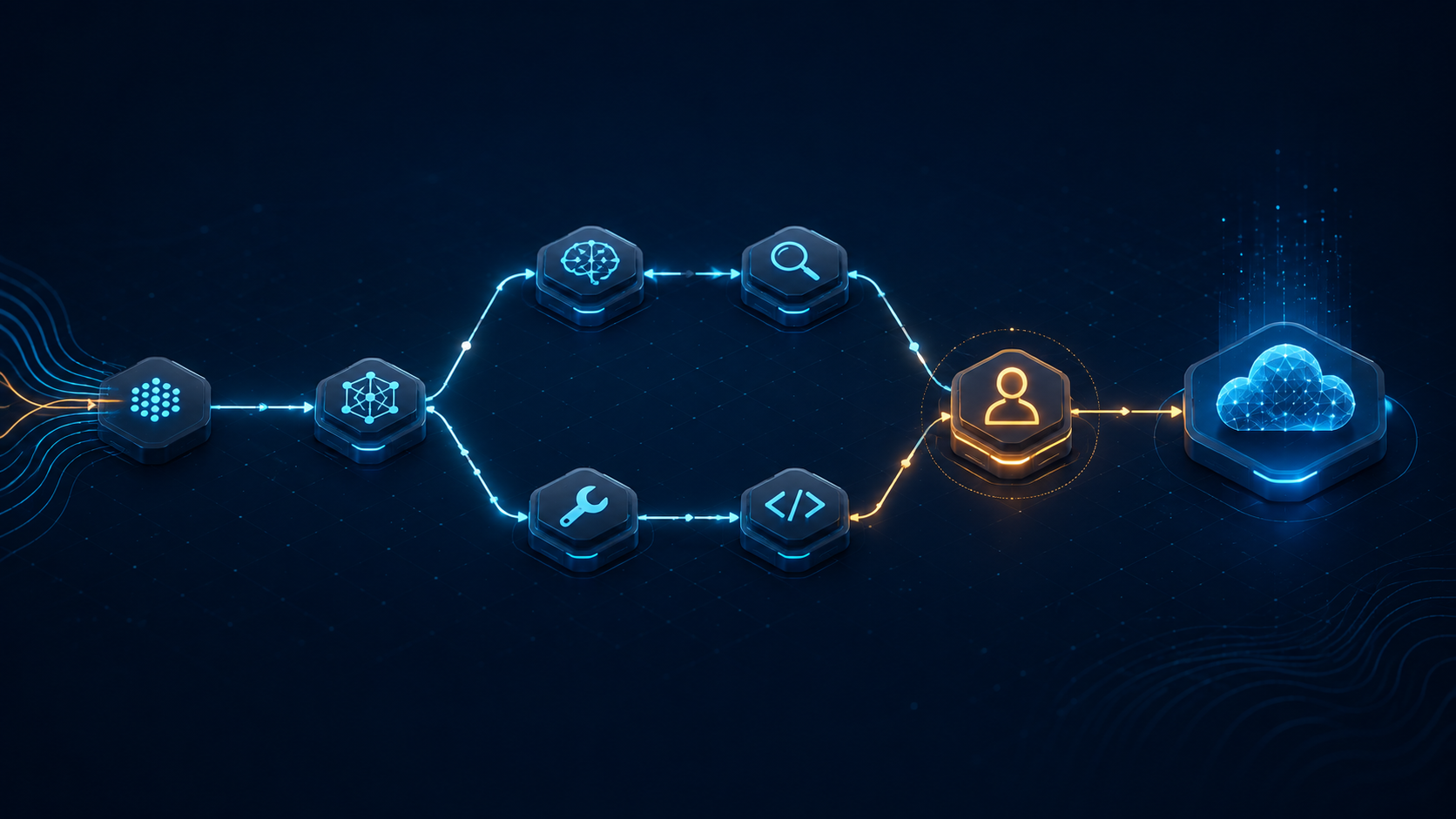
Beyond Model Calls: How Google ADK 2.0 Turns Agent Workflows into Deployable Python Systems
Summary
Most Agent examples stop at “receive a question, call a model, return an answer.” Once routing, retries, parallel execution, human approval, tool permissions, evaluation, and deployment enter the picture, a Prompt can become an untestable control-flow layer. Google’s Agent Development Kit (ADK) 2.0 separates an Agent application into two composable layers: Agents handle reasoning and tool use, while Workflows handle execution order and state. Based on the google/adk-python repository and the official documentation, this article examines its workflow runtime, Task API, multi-agent composition, tool integrations, evaluation, deployment paths, and the practical limits teams should address before adoption.
Outline
- Understand the three-layer ADK 2.0 abstraction: Agent, Workflow, and Runtime.
- Examine graph-based workflows, the Task API, multi-agent delegation, and MCP tool governance.
- Connect local development with evaluation, version management, and deployment paths such as Cloud Run.
- Use the fit analysis and adoption checklist to decide when ADK is appropriate and when ordinary Python plus a model SDK is enough.
Why study ADK 2.0 now?
google/adk-python is Google’s open-source, code-first Python Agent toolkit. It is positioned not merely as a model SDK, but as a framework for building, evaluating, and deploying Agents with software-engineering practices.[1][2] At the time of this review, the GitHub page showed roughly 21.3 thousand stars, while the main branch continued to receive commits; the latest commit addressed multi-turn Human-in-the-loop pause and resume across nested workflows.[7] Together, these signals indicate both meaningful community visibility and rapid evolution.
The 2.0 release also includes breaking changes to the Agent API, event model, and Session schema. Sessions generated by 2.0 can be read by ADK 1.28 and later, but are incompatible with older 1.x versions.[2] An upgrade therefore requires checking the execution model and data contracts, not just changing a package version.
The core abstraction: Agents decide, Workflows control execution
ADK 2.0 separates what an Agent is from when an Agent runs. An Agent describes its model, instructions, tools, and behavior. A Workflow uses a graph-based execution engine to compose nodes and handle routing, fan-out/fan-in, loops, retries, state management, dynamic nodes, human intervention, and nested workflows.[2]
This separation addresses a common architecture problem. If every rule is placed inside one large System Prompt, the model must both make decisions and infer workflow state and error-handling rules. With an explicit Workflow, deterministic control flow can be tested as code, while the model is used only where semantic judgment is required.
An ADK application can be viewed as three layers:
1. Decision layer: an Agent chooses the next step from instructions, context, and tool results.
2. Control layer: a Workflow defines ordering, branches, loops, retries, and human approval.
3. Execution layer: Sessions, events, tools, and the Runtime preserve intermediate state so a run can be observed, paused, resumed, and evaluated.
The value is not simply wrapping Agents in a DAG. The execution semantics become part of the framework, allowing tracing, evaluation, and deployment to share the same model.
Start with a minimal Agent: code is a versioned specification
An ADK Agent definition looks like an ordinary Python object:
from google.adk import Agent
root_agent = Agent(
    name="greeting_agent",
    model="gemini-2.5-flash",
    instruction="You are a helpful assistant. Greet the user warmly.",
)
There is no hidden workflow in this example: the model, name, and instruction are explicit. The official README describes ADK as model-agnostic and deployment-agnostic. Although it is optimized for Gemini, it can integrate with other models and frameworks.[2] For a team, that means an Agent definition can enter code review, unit tests, and version control like other application code rather than living only in a visual configuration screen.
In a real project, an instruction should be treated as a business specification, not a security boundary. Tool permissions, data access, input validation, and human approval still have to be enforced by code and infrastructure. Model-generated text must not be the sole authorization decision.
Workflow: make multi-agent collaboration testable
The README’s basic Workflow example generates a fruit name and passes it to another Agent to produce a health benefit:[2]
from google.adk import Agent, Workflow
generate_fruit_agent = Agent(
    name="generate_fruit_agent",
    instruction="Return the name of a random fruit. Return only the name.",
)
generate_benefit_agent = Agent(
    name="generate_benefit_agent",
    instruction="Tell me a health benefit about the specified fruit.",
)
root_agent = Workflow(
    name="root_agent",
    edges=[("START", generate_fruit_agent, generate_benefit_agent)],
)
The example is small, but it exposes the key property of an implementation-oriented Agent framework: the second Agent does not need to discover the first Agent or guess from a Prompt whether the previous step completed. The dependency is represented by the graph.
The official documentation describes workflow agents as components that control the execution of one or more sub-agents. In Python and Go ADK 2.0, earlier template workflows are being superseded by more flexible graph-based workflow structures.[4] A linear chain can therefore grow into:
- Routing: a classifier sends requests to different specialists.
- Parallel execution and fan-in: independent Agents analyze the same input and a final Agent combines their results.
- Loops: a review Agent checks a draft until it meets a quality threshold or reaches a limit.
- Retries: only a temporarily failing node is retried instead of restarting the entire process.
- Human-in-the-loop: a risky tool call or low-confidence result pauses for approval.
The most commonly missed detail is the stop condition. Every loop needs a maximum iteration count, timeout, cost limit, and failure exit. Otherwise, a graph only hides an infinite loop behind another abstraction.
Task API and multi-agent systems: from conversation to work contracts
ADK 2.0 also provides a Task API for Agent-to-Agent delegation, multi-turn tasks, single-turn controlled output, mixed delegation patterns, and task Agents used as Workflow nodes.[2] This is closer to a service boundary than asking one Agent to invoke another through a Prompt: a task has input, output, lifecycle, and failure semantics.
A maintainable multi-agent system should define at least four things:
1. Task contracts: use structured schemas so downstream nodes do not depend on free-form prose.
2. Responsibility boundaries: give research, planning, execution, and review separate tool sets.
3. State ownership: distinguish Session state, task results, and external databases; avoid having multiple Agents write to the same mutable text.
4. Failure policy: define retry, compensation, human takeover, and cancellation instead of merely catching an exception and calling the model again.
The Task API can carry these semantics, but it does not automatically provide governance. As the number of Agents grows, communication cost, state synchronization, and debugging complexity grow too. If a workflow is really three deterministic functions, ordinary Python functions are usually more reliable and cheaper than three Agents.
Tool integration: MCP is a connector, not an authorization model
ADK’s tool ecosystem includes built-in tools, custom functions, OpenAPI specifications, and MCP tools, and can integrate existing tools.[2] This lets an Agent evolve from a text generator into an application that reads data, calls APIs, and operates external systems.
The risk begins when tools are connected. Each tool should have at least the following controls:
- An explicit input schema and strict type validation.
- Server-side checks for tenant, user, and resource scope.
- Separate read and write tools, with write operations requiring approval by default.
- One-time authorization, idempotency keys, and rollback designs for high-risk actions.
- Logs for caller, parameter summaries, outcome, and latency without secrets or unnecessary personal data.
MCP solves tool description and connection interoperability; it does not make a tool safe by default. The ADK 2.0 README describes a tool confirmation flow that obtains explicit confirmation and custom input before execution.[2] Treat this as a minimum human-collaboration control, not as a replacement for backend authorization.
From `adk run` to production: development, evaluation, and deployment
ADK provides direct local development entry points: the interactive CLI uses adk run, the Web UI uses adk web, and adk eval runs an Agent against evaluation data.[2] This matters for CI because a workflow that previously required manual interaction in a chat window can become a replayable test case.
Evaluation should not only ask whether the final answer sounds human. A useful evaluation set can record:
- Whether the task completed and the output schema was valid.
- Whether tool selection was correct and whether unnecessary or dangerous calls occurred.
- Latency, tokens, retries, and cost at each step.
- Whether the workflow degraded safely under different inputs, permissions, and external-service failures.
- Whether scenarios requiring approval actually paused instead of bypassing the control.
The official evaluation documentation presents Evaluation as a dedicated ADK area alongside criteria, user simulation, and custom metrics.[5] This is a useful reminder that Agent quality is not one score; it is a set of metrics defined around product risk.
For deployment, the README lists Cloud Run and Vertex AI Agent Engine. The official deployment documentation also covers containers, Cloud Run, GKE, and testing deployed Agents.[2][6] A gradual path is:
1. Build a reproducible Agent with the local CLI and Web UI.
2. Validate outputs, tools, and safety conditions with a fixed evaluation set.
3. Package the Runtime as a container and deploy it under the same configuration contract.
4. Add production controls for traffic, Session storage, secret management, observability, and cost.
“Deployable” does not mean “production-ready.” Before launch, teams still need to address model-provider availability, data residency, tenant isolation, cancellation, timeouts, and version rollback.
Installation and version strategy: do not ignore the 2.0 breaking change
The ADK Python package requires Python 3.10 or later. Its project metadata identifies it as a Python library and exposes optional extras for multiple integrations.[2][3] The README recommends installing stable releases from PyPI and using the constraints file matching the Python version to protect transitive dependencies.[2]
A team should lock at least the following in the project:
Python version
google-adk version
constraints file
model and model version
tool schema version
Session and event migration strategy
Do not follow main directly in production. The README distinguishes stable releases from development installations sourced from the main branch; the latter may contain experimental changes that have not been officially released.[2] Do not upgrade the dependency and deploy immediately either. The 2.0 changes to APIs, events, and Session schemas require replay tests and compatibility checks.
Where does ADK fit?
Good fit:
- AI applications that need multi-step control flow, tools, and human approval.
- Teams that want to manage Agent behavior with Python code review, tests, and CI.
- Products that need several specialist Agents in an observable and evaluable workflow.
- Teams already using Google Cloud that want Cloud Run or Agent Engine as deployment options.
Not always a good fit:
- A single model call with no tools or workflow state; a direct model SDK is lighter.
- A minimal service that requires complete provider neutrality and does not want Google ecosystem integrations; although ADK describes itself as model-agnostic, the depth of each integration must be verified.[2]
- Highly deterministic data processing; if rules or ordinary code can make the decision, do not add a model node merely to make the system “agentic.”
Practical adoption checklist
1. Draw the workflow first and mark which nodes must be deterministic and which actually need model judgment.
2. Define permissions, input validation, timeouts, idempotency, and auditing for every tool.
3. Version the Session and event strategy, especially during a 1.x to 2.0 migration.
4. Build an evaluation set from real failures instead of testing only the happy path.
5. Set cost, time, and count limits for every loop, retry, and delegation.
6. Validate locally and in a container before choosing Cloud Run, GKE, or Agent Engine.
7. Lock models, packages, constraints, and tool schemas together so a run can be replayed.
Conclusion: treat Agents as software systems, not Prompt magic
ADK 2.0’s most important contribution is not another API for calling an LLM. It brings the parts of Agent systems that most easily become uncontrolled—workflows, task delegation, tools, evaluation, and deployment—back into a software-engineering context. Agents make decisions where semantic judgment is needed; Workflows make ordering, state, retries, and human intervention explicit; evaluation and deployment make the system replayable and operable.[2][4]
If a product has moved beyond one-turn chat into collaboration, tool use, and resumable execution, ADK 2.0 is worth testing with a small vertical slice: choose a workflow with clear inputs and outputs, add one tool, one approval step, and a set of failure tests, then measure whether control-flow complexity actually decreases. Expand multi-agent behavior and deployment only after that evidence is positive. Do not hand all business logic to the model at the beginning.
Sources
[1] https://github.com/google/adk-python
[2] https://raw.githubusercontent.com/google/adk-python/main/README.md
[3] https://raw.githubusercontent.com/google/adk-python/main/pyproject.toml
[4] https://google.github.io/adk-docs/agents/workflow-agents
[5] https://google.github.io/adk-docs/evaluate
[6] https://google.github.io/adk-docs/deploy
[7] https://github.com/google/adk-python/commits/main.atom