Stop Treating the Browser as a Black Box: Making AI Agent Web Actions Observable and Replayable
Stop Treating the Browser as a Black Box: Making AI Agent Web Actions Observable and Replayable
Once an AI agent moves beyond a chat interface, it quickly encounters a problem that demos often hide: a browser is not a stable API. It is an interactive environment affected by navigation, loading timing, authentication state, page redesigns, and client-side rendering. An agent must understand the page before choosing a button or field, and it must verify that the intended result actually happened. If the workflow depends only on coordinates or a long chain of CSS selectors, a small website change can silently break the automation.
vercel-labs/agent-browser takes an engineering-oriented approach. It wraps browser capabilities in a CLI designed for AI Agent calls and exposes the page through an Accessibility Snapshot that is easier to reason about. This is an implementation tool rather than a tutorial or a resource list. Its value is in turning browser control into reusable primitives that can be called by scripts, models, and test workflows.
1. The problem is not whether an agent can click, but whether it can click reliably
A conventional browser automation script usually finds a selector and then calls click, fill, or press. That is readable on a fixed test page, but it creates three problems for AI agents. First, the selector requires prior knowledge of DOM details. Second, the representation seen by the model is disconnected from the selector used by the program. Third, when the page contains duplicate elements, delayed loading, or re-rendering, an error often says only that the target was not found; it does not explain what the page looked like at that moment.
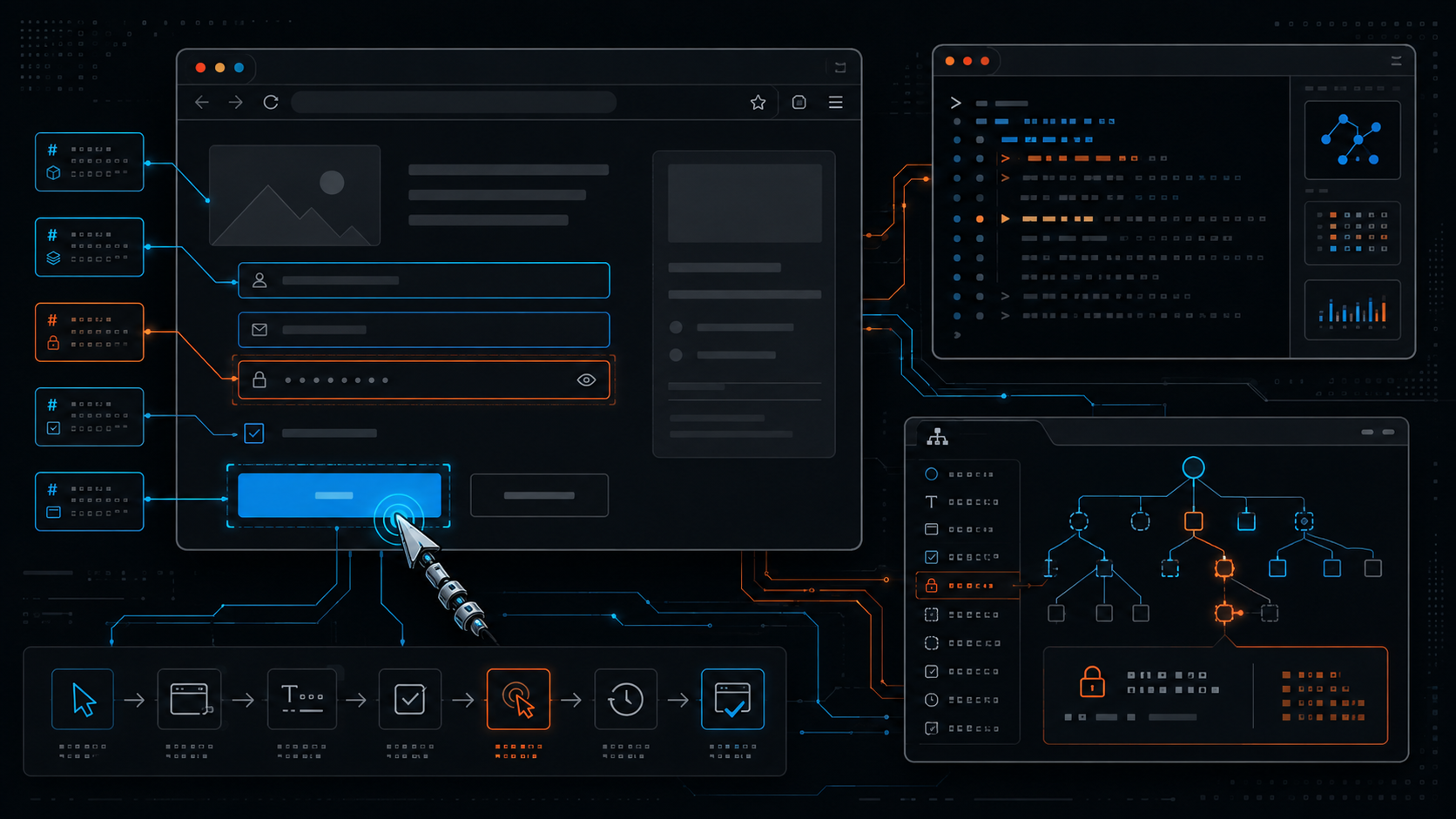
agent-browser centers its interaction model on snapshot. The command returns a text representation of the page Accessibility Tree, including short refs that can be used to target elements. A model can inspect refs such as @e1 and @e2, then issue commands such as click @e1, fill @e2 "...", or get text @e3. This separates observation from action: every action can be related back to the page semantics that were visible at the time, instead of leaving behind an opaque selector failure.
Selectors do not disappear. The project still supports common targeting strategies such as CSS, role, text, and label, which are useful when a human already knows the page structure. The difference is that the Accessibility Snapshot and refs provide a more agent-friendly default: inspect the available semantics first, then choose the action target.
2. CLI and daemon: decoupling the browser process from the agent
The command-line interface lets a person or another process perform browser actions directly. For workflows made of many short agent commands, the project also provides a persistent daemon mode. The command process does not need to create a complete browser process for every call; it communicates with an existing browser session through the local service. This matters because a model-driven workflow is usually a sequence of small steps: open, wait, inspect, fill, submit, and verify.
From an engineering perspective, the daemon separates the browser lifecycle from the lifecycle of an individual command. An agent can keep cookies, localStorage, and open tabs in one session, reducing repeated login and initialization work. Tests and CI jobs can also use explicit session names to isolate tasks. When a workflow must handle several accounts or sites in parallel, isolated sessions are easier to diagnose than one global browser containing mixed state.
This design has an important security boundary: a daemon is a privileged local automation entry point. In deployment, bind it only to the required interface and environment; never expose an unprotected control endpoint to the public internet. Treat login state, cookies, downloaded files, and session state as sensitive data, and store them with least privilege. A tool provides capability; it does not create a threat model for you.
3. From snapshot to verification: a replayable agent workflow
A useful agent-browser workflow should not stop at “the click succeeded.” It should include observation, action, and verification:
1. Create an isolated session and open the target page. For authenticated flows, confirm that the session belongs to the expected account and environment.
2. Take a snapshot. Give the model or script the current interactive elements instead of asking it to guess a selector.
3. Perform one minimal action with a ref. Use one clear click, fill, press, or select operation and retain the command output.
4. Observe the result again. After submission, navigation, or a dialog, take another snapshot or read a specific result value.
5. Preserve evidence and state. Save storage state for tasks that must continue later, and save important output, URLs, or screenshots for tasks that require auditability.
The key idea is to observe after acting instead of assuming that the site changed exactly as expected. For a model, this forms a simple control loop: read the environment, propose a tool call, inspect the result, and revise the plan. It is easier to recover from than a long script that generates a dozen actions in advance.
4. Why Accessibility Snapshot is useful for AI agents
An Accessibility Tree is not a replacement for the complete DOM. It describes the user-facing interface through roles, names, and states. For a language model, this output is often closer to task language than compressed HTML: a button has a name, an input has a label, a link has readable text, and an element can be referenced by a ref in a later command.
A snapshot is also an inspectable intermediate representation. Developers can retain it as a test artifact and see what the model actually observed. If an action is wrong, the team can inspect the page structure at that moment. On pages with many dynamic components, fixing the observation first helps distinguish a reasoning error from a page that was not ready or a locator strategy that was unreliable.
Accessibility Snapshot is not magic. If a site exposes poor semantic labels, the snapshot may still be incomplete. If an element is regenerated after an action, an old ref may no longer be valid. Stable workflows should therefore take a new snapshot after major page changes and add text, URL, element-state, or screenshot checks for important results.
5. MCP and scripting: the same capability for different agents
The project provides a CLI for shell-oriented workflows and an integration path for MCP clients. Browser capability can therefore be placed inside different agent architectures. A small task can be composed with shell commands; an agent that needs tool discovery and structured calls can use the same browser operations through MCP.
The important point is not merely another protocol. It moves browser control out of a prompt trick tied to one model and into a replaceable, testable tool layer. A team can reproduce a failure in the terminal with the CLI, then connect the same steps to an MCP agent. It can also replace the planner or model without changing the browser-control core.
More complete MCP tool descriptions also give the agent more power. Deployment should still restrict allowed domains, file paths, and credential scope. High-risk operations such as payment, deletion, sending mail, or submitting an official form should require an explicit human confirmation step.
6. Installation and a first verifiable operation
The project README documents npm installation and direct execution. Before adoption, confirm the Node.js environment, browser dependencies, and execution permissions. Start with a test page that contains no sensitive data. The smallest workflow can be expressed as follows:
# Install the CLI; use the version documented by the project
npm install -g agent-browser
# Download Chrome for the first run; use --with-deps on Linux when needed
agent-browser install
# agent-browser install --with-deps
# Open a test page
agent-browser open https://example.com
# Inspect the interactive page structure
agent-browser snapshot
# Use a ref from the snapshot
agent-browser click @e1
# Inspect and verify again
agent-browser snapshot
@e1 is only an example and must not be copied without inspecting the current snapshot. A stronger automation wrapper parses command output, confirms that the ref belongs to the current page, and checks expected text or a URL after the action. If session state is used, treat the state file as a credential: do not commit it to Git or place it in a public CI artifact.
7. Add these guardrails before production
Permission isolation. Use a dedicated browser profile and a least-privilege account. Separate test, preview, and production environments.
Network restrictions. Maintain an allowlist of domains that the agent can open. If the tool runs on a server, do not bind the control endpoint directly to a public interface.
Observability. Retain commands, URLs, snapshot summaries, errors, and necessary screenshots, while removing cookies, tokens, personal data, and form secrets first.
Idempotency. For irreversible actions such as submission, payment, or deletion, use a dry run or preview and a unique identifier to prevent duplicate execution.
Failure recovery. Split long workflows into retryable stages. Each stage should observe the page again instead of blindly replaying old refs.
Version pinning. Pin package versions in CI and production, and run smoke tests against representative pages. Browser versions, site redesigns, and Accessibility Tree changes can all affect agent behavior.
Conclusion: the browser is the tool, but the snapshot is the agent's observation interface
agent-browser is notable not simply because it lets an AI agent click and fill forms. It organizes browser automation as an observable, incremental, verifiable control loop: the CLI provides composability, the daemon provides persistent sessions, Accessibility Snapshot turns the interface into model-friendly semantics, refs connect observation to action, and state plus command output make continuation and audit possible.
For teams moving agents from demos into real workflows, this interface is worth evaluating before asking a model to guess selectors. Successful adoption still depends on system design: permissions, network boundaries, sensitive data, and irreversible actions must be handled explicitly instead of being delegated to the model. If the next AI workflow needs to operate a real website, agent-browser is a practical open-source candidate to test first in a small, low-risk scenario.
References
- Project: https://github.com/vercel-labs/agent-browser
- README and installation: https://github.com/vercel-labs/agent-browser/blob/main/README.md
- npm package: https://www.npmjs.com/package/agent-browser