CrewAI: Turning Multi-Agent Experiments into Controlled Production Workflows with Crews and Flows
# CrewAI: Turning Multi-Agent Experiments into Controlled Production Workflows with Crews and Flows
The easiest mistake in a multi-agent system is to confuse “several agents chatting” with an architecture. Once a task needs retries, branching, human review, persisted state, and observability, a collection of role prompts quickly becomes an implicit workflow that is difficult to test.
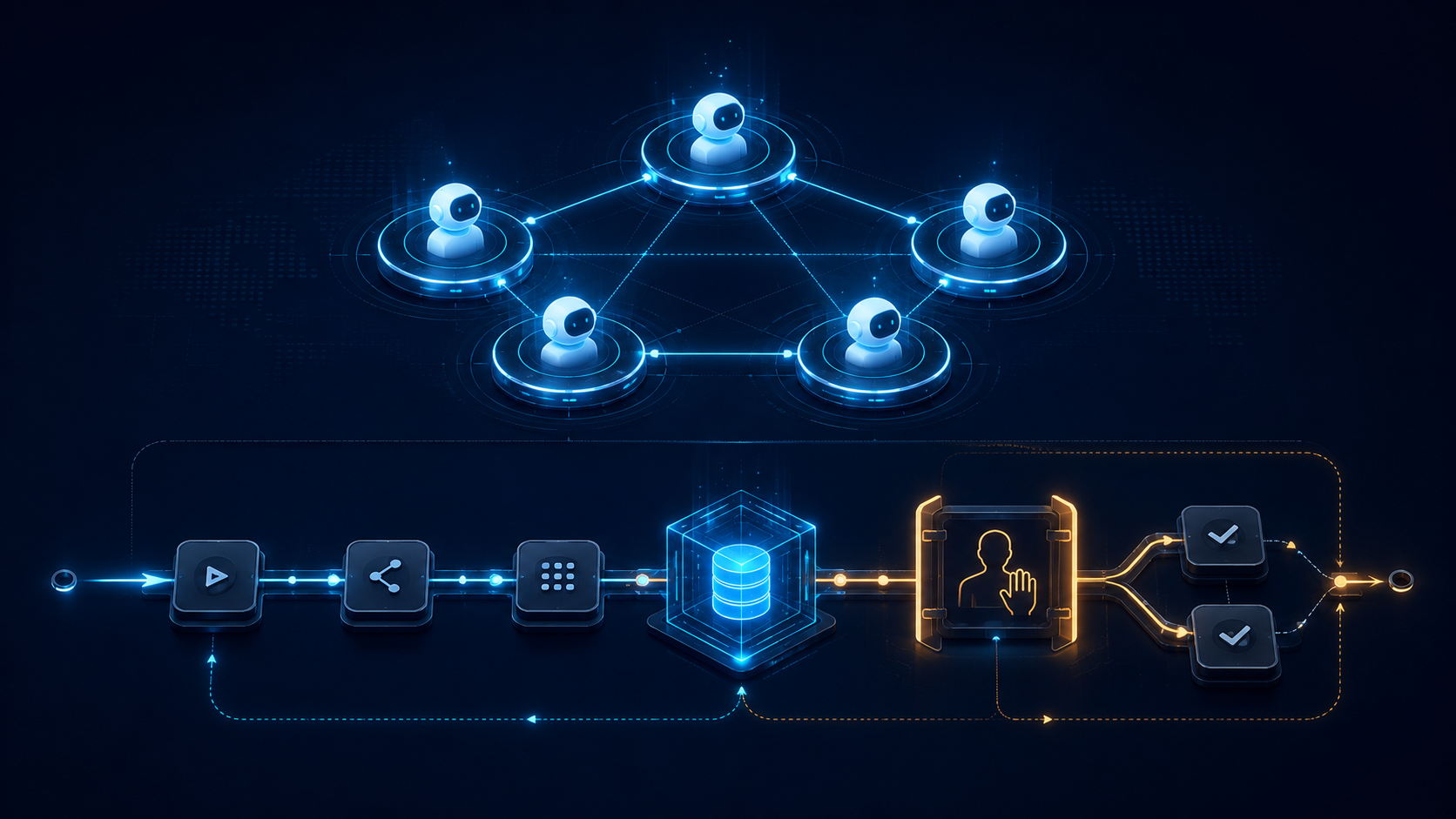
CrewAI addresses this by separating two layers. **Crews** handle autonomous collaboration between role-based agents, while **Flows** provide event-driven, stateful, and predictable workflow control. They can be used independently, or a Crew can become one step inside a Flow. The important idea is not simply adding more agents; it is putting autonomy and engineering control in the same Python framework.
## Understand the split between Crews and Flows
A Crew is the higher-level abstraction. You define an agent’s role, goal, backstory, tools, and LLM, describe the work with Tasks, and let the Crew coordinate execution. This fits research, analysis, and content-processing tasks where role specialization and dynamic decisions are useful.
A Flow is the lower-level control plane. It is built from event-driven methods, can carry state, control execution paths, and combine ordinary Python logic, single LLM calls, and Crews. A Flow does not require every step to be decided by an agent. Deterministic code can stay in the application, while the model is called only where reasoning is actually needed.
The practical rule is simple: choose a Crew when you need a team of specialists to collaborate; choose a Flow when you need predictable inputs, branching, retries, and outputs. When you need both, let the Flow own the skeleton and let a Crew handle the autonomous section.
## Start with a minimal Flow
The following example shows an extensible research workflow: receive a topic, produce research notes, and write a report. The important part is not the prompt text, but the visible boundaries between state and steps.
```python
from crewai.flow.flow import Flow, listen, start
from pydantic import BaseModel
class ResearchState(BaseModel):
topic: str = ""
notes: str = ""
report: str = ""
class ResearchFlow(Flow[ResearchState]):
@start()
def collect_topic(self):
self.state.topic = "Compare two RAG evaluation methods"
return self.state.topic
@listen(collect_topic)
def research(self, topic: str):
# A real project could call a Crew, a tool, or a single LLM here.
self.state.notes = f"Collect verifiable evidence and limits for {topic}."
return self.state.notes
@listen(research)
def write_report(self, notes: str):
self.state.report = f"Research summary: {notes}"
return self.state.report
if __name__ == "__main__":
result = ResearchFlow().kickoff()
print(result)
```
`@start()` defines the entry point, `@listen()` connects methods to events, and `self.state` carries shared data between steps. This is easier to test than putting the entire process into one large prompt: each node has a visible input, output, and responsibility.
## Put a Crew inside a Flow
When the research step needs several roles, it can create or call a Crew. A typical division of labor is a researcher who gathers evidence, a reviewer who checks it, and an editor who produces structured output. The outer Flow still decides when the process starts, when human review is needed, and which path to take after a failure.
```python
from crewai import Agent, Crew, Process, Task
researcher = Agent(
role="Researcher",
goal="Find citable and reproducible technical evidence",
backstory="Experienced in AI systems and open-source verification.",
verbose=True,
)
reviewer = Agent(
role="Reviewer",
goal="Identify unsupported claims, overreach, and version risks",
backstory="Focused on verifiability and engineering detail.",
verbose=True,
)
research_task = Task(
description="Research the topic and list sources, methods, and limitations.",
expected_output="Research notes with sources and limitations",
agent=researcher,
)
review_task = Task(
description="Check the research notes and flag claims that cannot be verified.",
expected_output="A verification checklist for the article",
agent=reviewer,
)
crew = Crew(
agents=[researcher, reviewer],
tasks=[research_task, review_task],
process=Process.sequential,
)
```
This configuration exposes an important design choice: autonomy is not free. More roles increase token usage, latency, and failure surface. Use ordinary Python or one LLM call for deterministic work first, then delegate only the genuinely collaborative step to a Crew. The surrounding Flow can add validation, retries, timeouts, and human approval before side effects.
## Four production concerns to address
### 1. Make state a contract
Do not keep critical information only in chat history. Put the topic, sources, candidate answers, review results, and error reasons in an explicit state model. That makes reruns, observability, and debugging much more reliable.
### 2. Constrain autonomy at the boundary
An agent can choose a tool or propose a plan, but data writes, permission changes, payments, and publication should be controlled by Flow nodes. Add human approval before side effects when necessary; do not rely on a system prompt alone.
### 3. Define verifiable task outputs
CrewAI Tasks support `expected_output` and can be combined with structured output and guardrails. The clearer the contract, the less downstream code needs to infer meaning from strings, and the easier regression tests become.
### 4. Observe cost and failure paths
A multi-agent workflow should record each agent’s inputs and outputs, tool calls, duration, and token cost. Test paths such as tool failure, missing data, and malformed model output. The open-source framework provides the assembly primitives; deployment, authorization, secret management, and monitoring remain application responsibilities. CrewAI also offers an AMP Suite for centralized governance, but that is separate from the open-source core.
## When not to use CrewAI
If a workflow is one model call plus a few fixed Python functions, ordinary application code is usually simpler. If you need a strict state machine, very low latency, or fully deterministic execution, start with a Flow or a conventional workflow engine rather than delegating every step to an autonomous agent. Multi-agent architecture is most useful in the middle ground: tasks need specialization or dynamic decisions, but still require engineering control.
## Conclusion: draw the workflow before adding agents
CrewAI’s most useful lesson is not to make more agents talk to each other. It is to put autonomous collaboration and deterministic workflow control in separate abstraction layers. Draw the inputs, state, branches, and side effects in a Flow first. Then encapsulate the reasoning-heavy section as a Crew. This path is usually easier to operate and maintain than starting with one all-purpose agent.
As verified on August 19, 2026, `crewAIInc/crewAI` is an actively maintained MIT-licensed Python framework with more than 57,000 GitHub stars. Always check the current documentation and package version when implementing it, and add application-level validation around model output, tool permissions, and external side effects.
## Sources
- GitHub repository:
- Official documentation:
- CrewAI README (Crews, Flows, installation, and examples):
- MIT License: