Let an LLM Understand Your Whole Codebase: Build Controlled, Compressed Context with Repomix
Let an LLM Understand Your Whole Codebase: Build Controlled, Compressed Context with Repomix
One of the most common problems in AI-assisted development is not that the model cannot write code. It is that the model can see only the files you pasted into the conversation. When a problem involves configuration, data flow, shared types, tests, and deployment scripts, scattered snippets can lead to advice that is locally correct but globally wrong.
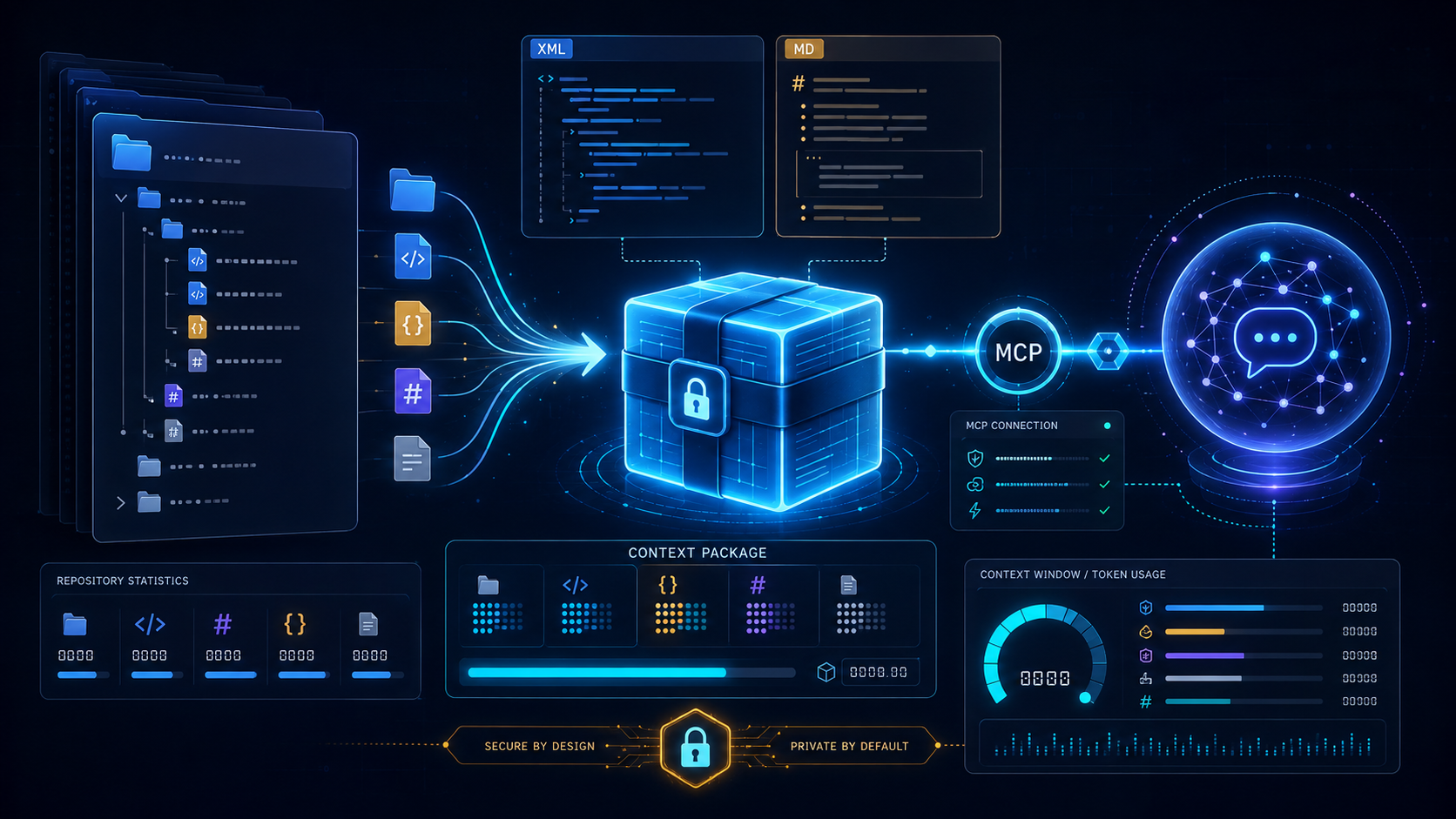
Repomix takes a direct approach: it packages a repository into a single file designed for AI processing, following explicit rules, and then lets ChatGPT, Claude, Gemini, or another tool analyze it. It is not another chatbot. It is a context-preparation layer in an AI coding workflow.
As of August 20, 2026, GitHub shows Repomix at roughly 28,000 stars. Its primary language is TypeScript and it is licensed under the MIT License. The latest release is v1.18.0, and the project was still being updated in August 2026. These numbers will change; this article focuses on the CLI, configuration, compression, and MCP capabilities published by the project at the time of review.
The problem it solves: more context is not always better
Sending an entire repository to a model without preparation sounds like providing complete context, but it creates at least three problems:
1. Too many files: node_modules, build artifacts, caches, snapshots, and generated files dilute the code that actually matters.
2. A limited token budget: Every model has a different context window. Without an estimate, a request may be truncated before it is sent or lose its focus inside the model.
3. Sensitive data must not leak: .env files, test credentials, private settings, or an accidentally committed token should not be shared just because you asked an AI to inspect the code.
Repomix brings these concerns into the packaging step. It respects .gitignore, .ignore, and .repomixignore, supports token counting, and uses Secretlint for sensitive-information checks. This does not make an output automatically safe: the security check is a safeguard, and the final output still requires human inspection.
Start in five minutes: generate an output you can inspect
Run this in the root of the target repository:
npx repomix@latestBy default, it generates repomix-output.xml. If you want a pinned version for CI or a team workflow, install it as a project development dependency or use the global installation described in the official documentation. On the first run, do not immediately paste the file into a model. Inspect it first:
# Inspect the output size and contents
wc -c repomix-output.xml
less repomix-output.xml
For a public remote repository, you can provide a GitHub URL or an owner/repo shorthand:
repomix --remote yamadashy/repomixFor reproducible research or bug reports, use a fixed branch, tag, or commit instead of always following the default branch:
repomix --remote https://github.com/yamadashy/repomix --remote-branch 935b695This detail matters: the content analyzed by the model should map to an identifiable version.
Control the context boundary with include and ignore
The most useful first layer of control is a glob pattern. If you are studying TypeScript core logic and documentation, package only the relevant files:
repomix --include "src/**/*.ts,**/*.md"You can also exclude logs and temporary directories while keeping the main source tree:
repomix --ignore "**/*.log,tmp/"The goal is not to exclude as much as possible. The goal is to define the boundary of the question. For example:
- For an API refactor, keep
src/, type definitions, routes, tests, and related documentation. - For a database issue, add migrations, schemas, and the repository layer.
- For a deployment issue, add the Dockerfile, CI workflows, and example environment files, while excluding real secrets.
For more detailed team rules, run repomix --init to create repomix.config.json, then put output, filtering, and security choices under version control. The project also supports TypeScript, JavaScript, JSON5, and JSONC configuration formats. Treat executable JavaScript or TypeScript configuration as code to review, not as passive data.
More than packaging: four output formats and the token view
The CLI supports xml, markdown, json, and plain output styles, with XML as the default. Choose the format according to the next tool in the workflow:
repomix --style markdown -o context.md
repomix --style json -o context.json
repomix --style plain -o context.txt
XML is useful for preserving file boundaries and structure. Markdown is convenient for human review and ordinary chat prompts. JSON is useful when another tool will process the result. Do not confuse format with quality; file selection and the model token budget matter much more.
Repomix provides a file tree and token counts, and can show only files above a threshold:
repomix --token-count-tree
repomix --token-count-tree 1000
If you want to turn the token budget into a CI guardrail, use:
repomix --token-budget 120000The official documentation says that the output is still generated when the budget is exceeded, but the CLI exits with a non-zero status. That makes it suitable for an agent workflow or CI: the process can fail before a model responds that the input is too long.
`--compress`: preserve structure while reducing reading load
When a repository is large but you first need its module boundaries, classes, functions, and interfaces, use Tree-sitter-based compression:
repomix --compressThe goal is not to summarize the code in natural language. It extracts important program structure and removes some implementation detail so the model can see the skeleton first. This is useful for an initial architecture review, finding responsibility boundaries, or planning a refactor.
Compressed output should not replace every full-source inspection. When the model needs to change an algorithm, trace exception handling, or verify a race condition, generate a second package with the complete contents of the relevant files. A stable strategy is therefore two-stage:
1. Use --compress and the token tree to build a global map.
2. Identify the likely modules, then use --include to generate a small, uncompressed context.
This is easier to control than sending an entire repository unchanged, and it makes code review easier because the team can explain which files informed the model's conclusion.
Connect it to MCP: turn a one-off file into a queryable tool
If your AI development tool supports the Model Context Protocol, Repomix can run directly as an MCP server:
repomix --mcpThe official documentation lists integrations for VS Code, Cline, Cursor, Claude Desktop, and Claude Code. For Claude Code, the setup command is:
claude mcp add repomix -- npx -y repomix --mcpMCP changes the workflow from preparing one file by hand to letting the assistant package and query code on demand. That makes the permission boundary more important. Repomix provides sandbox mode:
repomix --mcp --sandbox
repomix --mcp --sandbox path/to/project
In sandbox mode, file tools are confined to the selected workspace. Absolute paths, ~, .., and paths that escape through symlinks are rejected. If an MCP server could be used by an untrusted agent or remote client, sandbox mode should be the default rather than a later fix.
Do not treat --mcp as permission to let an AI safely read the entire host. It addresses the tool protocol and path boundary, but it does not decide which source code may be sent to a third-party model. It also does not replace operating-system permissions, network isolation, or secret rotation.
How to use the security checks correctly
Repomix enables security checks by default. It uses Secretlint to detect files that may contain credential-like formats and reports warnings in the CLI. This is a useful defense, but it is not a complete data-loss-prevention system. Add a fixed review checklist before sending an output:
# Exclude common sensitive paths with project rules
repomix --ignore ".env,**/.env.*,**/secrets/**,**/*credential*"
# Search the output for suspicious field names
rg -n "api[_-]?key|token|secret|password|private[_-]?key" repomix-output.xml
Do not disable the check merely to make the workflow succeed. The official documentation warns that --no-security-check may expose sensitive information. Even for test files or example credentials, confirm that they cannot be confused with real environment data. Remote repositories require another precaution: Repomix does not load repomix.config.* from a remote repository by default because JavaScript or TypeScript configuration may execute external commands. Only explicitly trust such configuration after reviewing it.
How I would place it in an AI coding workflow
A maintainable team workflow can look like this:
Define the question
  ↓
Choose the context boundary and version
  ↓
repomix --include / --ignore
  ↓
Review security warnings and token budget
  ↓
Use compressed output for the architecture map
  ↓
Generate complete context for the relevant modules
  ↓
Ask the AI to cite files and behavioral evidence
  ↓
Human review, tests, and then commit
The objective is not to make the model know everything at once. It is to make context reproducible, shrinkable, and reviewable. Record the commit hash, include/ignore rules, and token statistics for each package you send. When the model proposes a change, ask it to list the files it relied on so a human can verify the reasoning.
Where it fits, and where it does not
Repomix is a good fit when you want to:
- Give a model a quick structural map of an unfamiliar repository.
- Provide several interdependent files for a refactoring plan.
- Enforce context-size limits in CI or an agent workflow.
- Let a toolchain with MCP explore code more incrementally.
It does not automatically solve:
- Whether the model understands the business rules.
- Whether private code may legally be sent to a particular model provider.
- Runtime state in distributed systems, external database contents, or live bugs.
- Quality problems caused by missing tests or missing review.
In other words, Repomix is infrastructure for context engineering, not a guarantee of automatic refactoring. Its strongest value is turning “which code should I show the AI?” from ad-hoc copy and paste into a repeatable engineering step with rules and boundaries.
Conclusion: engineer the context before engineering the output
The quality of an AI assistant's output is often limited by the quality of its input context. Repomix connects file filtering, formatting, token visibility, structural compression, security warnings, and MCP integration in one CLI, so repository reading does not have to start with manual file copying every time.
For a one-time experiment, start with npx repomix@latest. For a team or automation workflow, pin the version, review repomix.config.*, design ignore rules, enforce a token budget, and add sandbox mode to MCP. Once context preparation becomes a verifiable engineering process, an AI assistant is more likely to move from “it looks like it understands” to “its conclusion can actually be checked.”