MCP Is More Than a List of Tools: Building Executable AI Apps with mcp-use
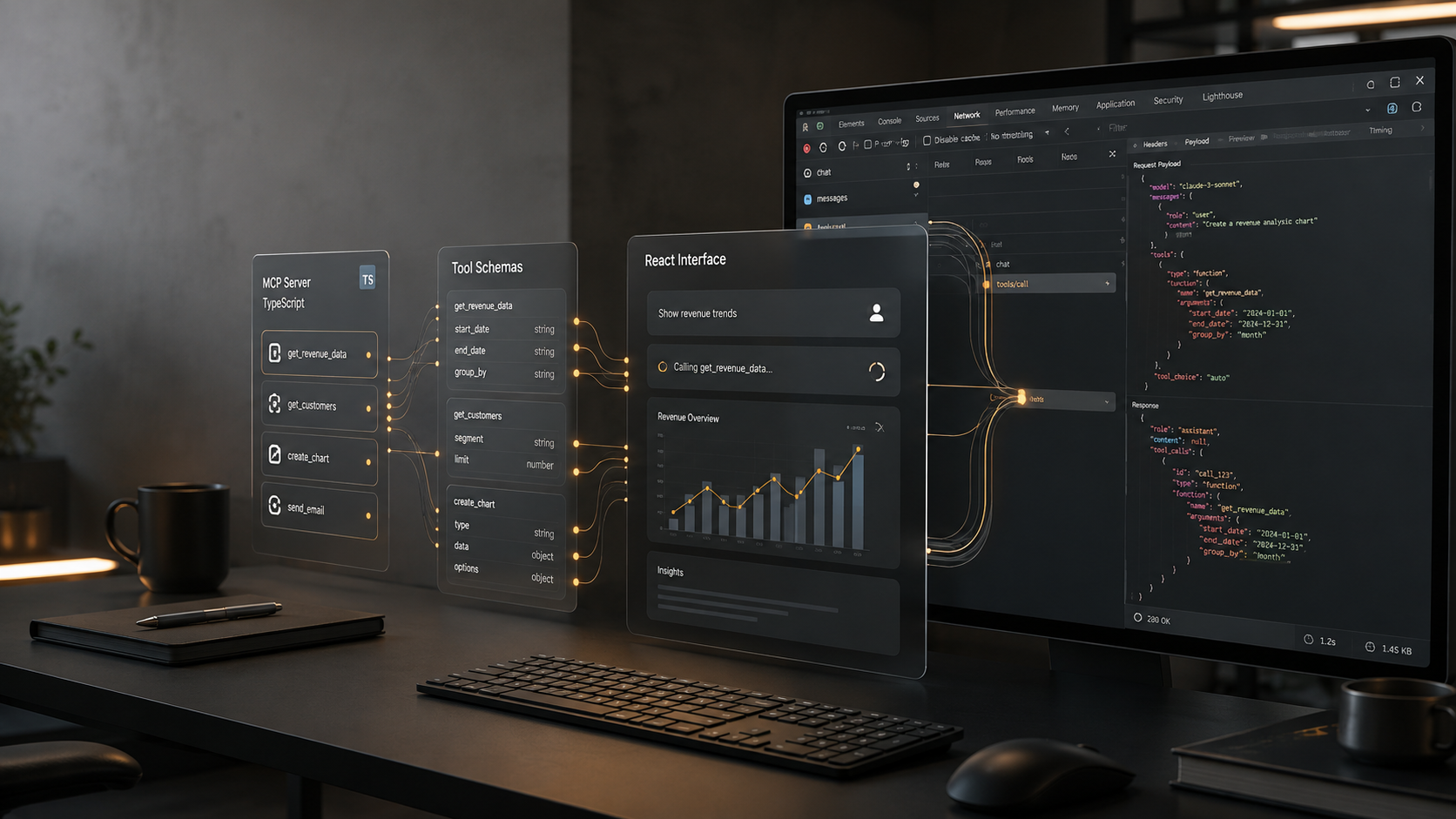
MCP Is More Than a List of Tools: Building Executable AI Apps with mcp-use
Model Context Protocol (MCP) is often introduced as a way for a model to call external tools. That description is useful, but incomplete. A product still needs a way to present results, keep input and output contracts stable, debug connections, and let a user interact with structured data. mcp-use is interesting because it treats these concerns as one development workflow rather than as unrelated integration tasks.
This article is based on the official mcp-use repository and its documented examples. The focus is not on claiming that the library replaces MCP itself. Instead, it explains where the library sits: it provides application-level building blocks around MCP clients, agents, servers, MCP Apps, and an Inspector, so a developer can move from a simple tool call toward a testable application.
What mcp-use is solving
An MCP server exposes tools, resources, and prompts. A client connects to that server and makes those capabilities available to an application or model. In a small demo, the flow is easy: create a client, connect to a server, ask an agent to perform a task, and print the answer.
Real projects quickly add friction. The server may be local over stdio or remote over HTTP. A task may need several tools and a persistent conversation. The result may be better represented as a table, chart, or interactive card than as plain text. Finally, developers need to inspect the handshake, available tools, and request flow when something fails.
mcp-use packages these concerns into a coherent developer experience. Its documented surface includes a Python client and agent workflow, a TypeScript client, server-building helpers, MCP Apps support with React-based views, and an Inspector for exploring MCP servers.
The important architectural idea is separation of responsibilities:
1. MCP remains the protocol boundary.
2. The client manages connection and capability discovery.
3. The agent layer decides how a model should use those capabilities.
4. MCP Apps provide a UI surface when text alone is not enough.
5. The Inspector shortens the feedback loop during development.
This separation is more useful than treating the project as a magic agent wrapper. It lets a team choose how much automation it wants at each layer.
A minimal Python flow
The repository documents a Python path that can be installed with pip install mcp-use, followed by an application that creates an MCP client, connects to a server, constructs an agent, and runs a task. A minimal version looks like this:
from mcp_use import MCPAgent, MCPClient
client = MCPClient.from_config_file("./mcp_config.json")
agent = MCPAgent(llm=llm, client=client, max_steps=10)
result = await agent.run("Inspect the available data and summarize the result")
print(result)
The exact model setup depends on the provider used by the application. That is a deliberate boundary: mcp-use handles MCP-oriented orchestration, while the model provider remains configurable.
A configuration file can describe one or more servers. For example, a local server can be started through stdio, while a remote server can be reached through an HTTP transport. Keeping this information in configuration rather than hard-coding it in the task logic makes it easier to switch environments and test against a different server.
The max_steps limit is also worth treating as a production control, not just a tutorial parameter. It constrains how long an agent can continue a multi-tool task and makes runaway loops easier to detect. In a real application, pair it with timeouts, structured logging, and explicit error handling.
The TypeScript path and MCP Apps
For frontend-heavy applications, the TypeScript client is the more natural entry point. The repository presents a client API for connecting to an MCP server and calling tools, while MCP Apps extend the interaction model beyond a text response.
A useful mental model is that an MCP App is an interactive view associated with a tool result. Instead of returning only JSON or prose, a tool can expose a UI that renders the result in a form appropriate to the task. A dashboard, map, form, or data table can therefore stay close to the tool that produces its data.
The React examples are valuable because they show the practical boundary between protocol data and UI state. The server remains responsible for capabilities and data access. The view remains responsible for rendering and user interaction. The application can then pass the structured result into a component without inventing a separate, proprietary tool-to-UI protocol.
This does not mean every tool should have a custom interface. Text is still the cheapest and most flexible output. A UI becomes worthwhile when the user needs to compare values, edit parameters, inspect a collection, or take a follow-up action. The design decision should be driven by interaction cost, not by the novelty of embedding React.
Building an MCP server
mcp-use also documents server-side helpers. The point of a server abstraction is not merely to expose Python or TypeScript functions. A useful server should provide clear names, descriptions, input schemas, and predictable errors so that both humans and models can understand its capabilities.
A practical server checklist is:
- Give each tool a narrow responsibility.
- Describe arguments in terms a model can use correctly.
- Validate input at the server boundary.
- Return structured data when downstream code needs to inspect it.
- Avoid leaking credentials or internal stack traces in tool results.
- Make side effects explicit in the tool name and description.
This checklist applies whether the server is created with mcp-use helpers or with another MCP SDK. The library can make the wiring easier, but it cannot repair an ambiguous contract. Good tool design remains the main determinant of agent reliability.
Inspector: the missing piece in many demos
Connection problems are difficult to diagnose when the only visible output is a failed agent request. The Inspector addresses this development gap by making it possible to explore an MCP server, inspect its capabilities, and test calls before placing the server behind a model.
That changes the debugging order. Instead of starting with an agent prompt and guessing whether the model, client, transport, or server is at fault, a developer can validate the lower-level protocol path first:
1. Can the process start?
2. Can the client establish the transport?
3. Are the expected tools visible?
4. Does a direct tool call accept the documented input?
5. Is the returned data shaped as expected?
6. Only then, does an agent choose and chain the tool correctly?
This layered diagnosis is one of the most practical reasons to evaluate mcp-use. It reduces the amount of prompt experimentation used to debug an integration problem.
A production-oriented project structure
A small proof of concept can keep everything in one file. A maintainable application should separate at least four concerns:
app/
  agent.py          # task and model orchestration
  mcp_config.json   # server endpoints and transport settings
  tools/            # server-side tool contracts
  views/            # optional MCP App or React views
  tests/            # direct tool and integration tests
Keep the agent prompt focused on the task and keep transport details in configuration. Test tools directly before testing an agent. For important workflows, record the selected tool, arguments, latency, and error category without recording secrets or unnecessary user data.
When a tool mutates external state, add an approval boundary in the application. An agent should not be allowed to infer that a read-only task authorizes a write. The protocol can carry a tool call, but authorization policy belongs to the application around it.
Limitations and trade-offs
mcp-use is not a guarantee of correct agent behavior. A model can still select the wrong tool, produce invalid arguments, or misunderstand a result. More orchestration can also make a simple application harder to reason about if every function is routed through an agent.
There is a transport trade-off as well. Local stdio servers are convenient for development, while remote HTTP services require deployment, authentication, observability, and compatibility planning. The library can expose both paths, but the operational cost remains.
MCP Apps introduce another maintenance surface: frontend dependencies, browser security, state synchronization, and accessibility. Use them where they reduce user effort, not merely because a result can be rendered as a widget.
Finally, examples should be treated as starting points. Pin dependencies, read the current API reference, test against the exact MCP servers used by the product, and verify behavior after upgrades.
Conclusion
The strongest way to evaluate mcp-use is not to ask whether it makes one tool call shorter. Ask whether it improves the complete loop from server contract to client connection, agent orchestration, interactive result, and debugging.
For a text-only prototype, the client and agent layers may be enough. For a product, the combination of configuration, typed tool contracts, MCP Apps, and Inspector can provide a clearer path from experiment to maintainable integration. The protocol remains the foundation; mcp-use is the application toolkit that helps developers build around it.
Sources
- Official repository: https://github.com/mcp-use/mcp-use
- Official documentation: https://docs.mcp-use.com
- MCP specification and ecosystem information: https://modelcontextprotocol.io