How to Give an AI Memory Without Sending Your Data to the Cloud: A MemPalace Architecture Walkthrough
Outline
1. Why an AI agent needs a separate memory layer
2. What MemPalace is designed to solve
3. The architecture from verbatim storage to layered retrieval
4. Installation, initialization, and the first search
5. MCP, auto-save hooks, and multi-agent workflows
6. How to interpret the benchmark numbers
7. Security, version differences, and deployment checks
Context windows are not memory
Anyone who has used an AI coding agent has seen the same failure mode: a previous session made a data-model decision and recorded why it was made, but the next session needs the entire explanation again. Pasting the complete conversation into a new prompt increases token cost and makes retrieval noisy. Keeping only a summary is cheaper, but it can erase the wording, uncertainty, and historical reason behind a decision.
MemPalace takes a simple approach: keep conversations and project material on the local machine, preserve the source text verbatim, and use semantic search to recover only the relevant pieces. It is not another hosted chat-history service. It is a memory layer that can be used by a CLI, an MCP server, and automation hooks. That positioning makes it useful for teams that need durable project context without making raw material leave the workstation by default.
This article is based on the official MemPalace/mempalace repository and its published package. At the time of verification, the GitHub API reported about 58,553 stars, 7,508 forks, and a latest push on 2026-08-22. The repository declares an MIT license. Those numbers change over time; the behavior and figures below describe this verification run.
The core model: Palace, Wing, Room, and Drawer
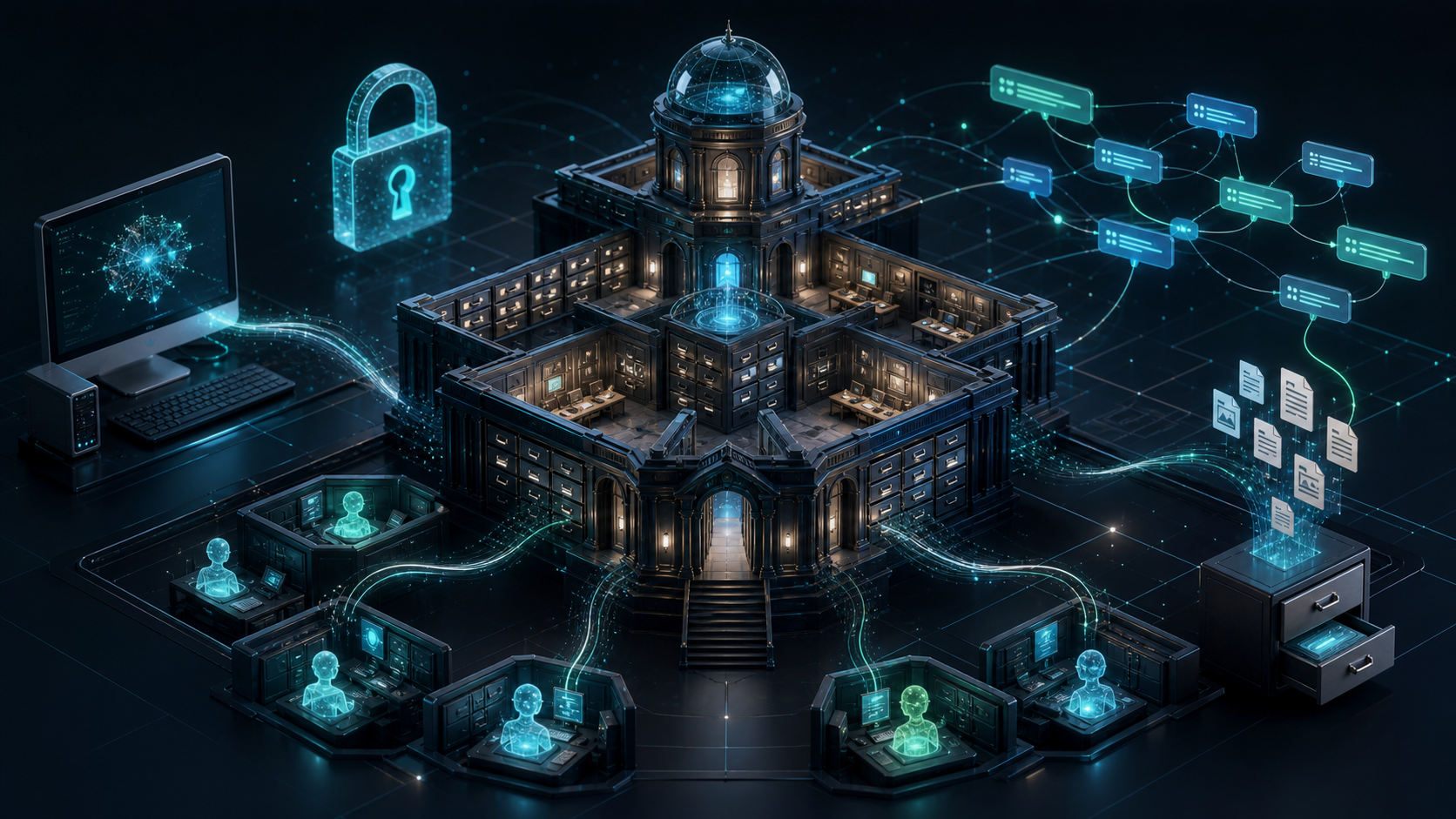
MemPalace does not put every memory into one flat vector collection. It uses a physical-palace metaphor to organize the data:
- Palace is the complete local memory store.
- Wing is a person, project, or working scope, such as one repository or specialist agent.
- Room is a topic area inside a wing, such as architecture, costs, or a general area.
- Drawer is the smallest retrievable unit, retaining the content and its source context.
This hierarchy is useful for two engineering reasons. First, a search can be scoped before it scans the entire history. Second, storage and indexing can remain separate concerns, so changing the vector backend does not require rewriting the whole workflow.
The README says that the default backend is local ChromaDB and places backend interfaces under mempalace/backends/base.py. It also lists sqlite_exact, Milvus, Qdrant, and pgvector. The latter options can connect to services, so local-first describes the default and the data-flow design; it does not mean every deployment must use a single embedded database.
Another important design choice is to avoid summarizing before storage. A summary is useful for compressing context, but it can remove the original wording, dates, and uncertainty. MemPalace stores a verbatim drawer first, then lets search, hybrid boosting, or optional LLM reranking decide which material to bring into the next session. Preservation and answer generation remain separate layers.
Installation: pin the version you can actually obtain
The develop branch README shows a 3.8.0 badge, but the package available from PyPI and the latest release checked during this run were 3.7.1. Do not treat a development README badge as an already published package. To reproduce the commands in this article, use:
uv tool install mempalace==3.7.1
mempalace --version
I ran uvx --from mempalace==3.7.1 mempalace --help successfully. The CLI exposes commands including init, mine, sweep, search, wake-up, mcp, serve, and status. The project also recommends uv tool install or pipx, which keeps ChromaDB, NumPy, and gRPC dependencies out of the global Python environment.
For Docker, the README provides a multi-architecture image:
docker pull ghcr.io/mempalace/mempalace:latest
docker run -i --rm -v mempalace-data:/data \
  ghcr.io/mempalace/mempalace
The /data volume contains the palace, configuration, and embedding-model cache. With a Linux bind mount, the container runs as uid 1000, so the source directory must be writable. Do not immediately solve a PermissionError with --user; changing the user can prevent the container from writing to /data.
First use: initialize, mine, and search
A minimal CLI path looks like this:
# Create the memory structure for a project. --yes avoids an interactive prompt.
# --no-llm avoids trying to connect to an external language model.
mempalace --palace ~/.mempalace/palace init ~/projects/myapp --yes --no-llm
# Write project files into the palace.
mempalace --palace ~/.mempalace/palace mine ~/projects/myapp
# Search for a design decision.
mempalace --palace ~/.mempalace/palace search "why did we switch to GraphQL"
# Load L0 and L1 wake-up context for a new session.
mempalace --palace ~/.mempalace/palace wake-up
One small CLI detail matters: --palace is a global option and should appear before the subcommand. init asks for confirmation if --yes is omitted. In CI, containers, or automated hooks, use --yes; when Ollama is not present, add --no-llm.
I verified the path with a temporary directory containing a one-line decision record. mine processed one file successfully. The first use downloaded about 79.3 MB for the all-MiniLM-L6-v2 embedding model, after which search "why did we switch to GraphQL" found the expected file and displayed both cosine-similarity and BM25 scores. The first run taking longer is therefore not necessarily a hang: the embedding model must be downloaded and cached.
Conversation data can be mined in conversation mode:
mempalace mine ~/.claude/projects/ --mode convos --wing myapp
mempalace search "why did we choose this database" --wing myapp
The README also describes sweep, which captures message-level material that the main miner did not process. It keeps each user and assistant message and is designed to be repeatable and resumable. For an auditable project history, that fine-grained representation is easier to inspect than one coarse chunk per session.
Embeddings and the data boundary
The default path does not require an API key because embeddings run locally. The onboarding flow mentions embeddinggemma-300m and all-MiniLM-L6-v2; the former covers more than 100 languages but needs roughly 300 MB of disk, while the latter is smaller and more English-oriented. A local or LAN OpenAI-compatible /v1/embeddings endpoint can also be used. After switching vector spaces, the README instructs users to run mempalace repair rebuild-index.
The phrase local-first should be separated into three checks:
1. Content transfer: local embedding does not require a cloud API by default.
2. Model downloads: the first installation still downloads packages and models; an isolated environment needs a prepared cache.
3. Optional integrations: a remote embedding endpoint, an external LLM reranker, or a remote backend changes the data boundary.
Local-first is therefore a deployable choice, not a guarantee that every configuration keeps data on one machine. Before adoption, inspect config.json, environment variables, Docker volumes, and the paths mounted into the MCP client.
MCP and agent workflows
MemPalace is more than a CLI. The README lists 44 MCP tools covering palace reads and writes, knowledge-graph operations, cross-wing navigation, drawer management, agent diaries, and coordination through log streams and artifact handoffs. The point is to let an agent query memory when needed instead of putting the entire project history into the system prompt permanently.
A Docker stdio configuration for an MCP client needs two details:
{
  "mcpServers": {
    "mempalace": {
      "command": "docker",
      "args": [
        "run", "-i", "--rm",
        "-v", "mempalace-data:/data",
        "-v", "/absolute/path/to/.claude/projects:/transcripts:ro",
        "ghcr.io/mempalace/mempalace"
      ]
    }
  }
}
First, JSON-RPC uses stdin, so Docker needs -i. Second, an MCP client may not expand ~ or $HOME; use an absolute path. The command sees /transcripts inside the container, not the host path. Mounting only /data does not give the server access to host transcripts.
Auto-save hooks solve a different problem. The README provides hooks for Claude Code, Codex CLI, and Cursor that save sessions periodically and create snapshots before context compression. Hooks answer “when should memory be written?” MCP answers “when should an agent read it?” A durable workflow benefits from both.
Reading the benchmarks responsibly
The README reports LongMemEval retrieval recall for 500 questions: raw semantic search at 96.6% R@5, hybrid v4 at 98.4% on a held-out set of 450 questions, and at least 99% with LLM reranking. It also lists results for LoCoMo, ConvoMem, and MemBench.
These figures support the claim that the retrieval layer deserves attention, but they do not mean every generated answer is 99% correct. The README notes that projects use different data splits and metrics. Retrieval recall and end-to-end question-answering accuracy should not be compared as if they were the same measurement.
For a real deployment, build a small evaluation set from your own history and measure top-k retrieval, false retrievals, first-query latency, and index-update time. Then decide whether hybrid retrieval or LLM reranking justifies its cost.
Knowledge graphs and multi-agent collaboration
In addition to vector retrieval, MemPalace includes a temporal entity-relation graph backed by local SQLite. It can add, query, and invalidate relationships and expose a timeline. That is useful for questions about when a decision was valid, because similarity search alone does not naturally model validity intervals.
For multi-agent work, each specialist can have its own wing and diary. The value of this namespace design is not that it makes an agent smarter; it prevents unrelated intermediate state from becoming one unmanageable context pool. Log-stream events and artifact handoffs provide a clearer interface than copying an entire conversation during a handoff.
Who should try it, and what are the limits?
MemPalace is a strong candidate when a team:
- Maintains the same codebase for a long time and often needs historical decisions.
- Uses Claude Code, Codex CLI, Cursor, or another MCP-compatible client.
- Wants sensitive source code, internal documents, or conversations to stay local by default.
- Wants storage, retrieval, and agent coordination to remain replaceable components.
It is not free of operational cost. The first embedding run downloads a model. Large collections need a plan for disk usage, index rebuilds, and backups. Qdrant, pgvector, and remote embeddings add deployment and data-governance responsibilities. Native Android or Termux installation is not the supported path; the README recommends running it inside a Debian PRoot container.
The GitHub default branch is currently develop, while the latest release and PyPI package can lag behind the README. Pin the package version and Docker image digest for production. Back up the palace and transcripts before an upgrade, and do not rely on latest alone.
Conclusion: treat memory as infrastructure
An AI agent's memory problem is rarely solved by writing a longer system prompt. A durable solution needs a layer that can write continuously, retrieve by scope, preserve source text, and restore context after a session ends. MemPalace packages that layer with Palace/Wing/Room/Drawer organization, local-first embeddings, replaceable backends, MCP tools, and auto-save hooks.
The most important idea is not one benchmark number. It is the separation between preservation and generation: keep traceable material first, then let a retrieval strategy or model read what it needs. Start with one project and one local palace. Verify that mine -> search -> wake-up reduces repeated explanations before adding MCP, hooks, or multi-agent namespaces.
Sources
- GitHub repository: https://github.com/MemPalace/mempalace
- GitHub repository metadata: https://api.github.com/repos/MemPalace/mempalace
- PyPI package: https://pypi.org/project/mempalace/
- Benchmark methodology:
benchmarks/BENCHMARKS.mdin the repository
The star count, fork count, update time, release, and CLI results in this article were checked on 2026-08-23. Recheck GitHub, PyPI, and the project documentation when those sources change.